
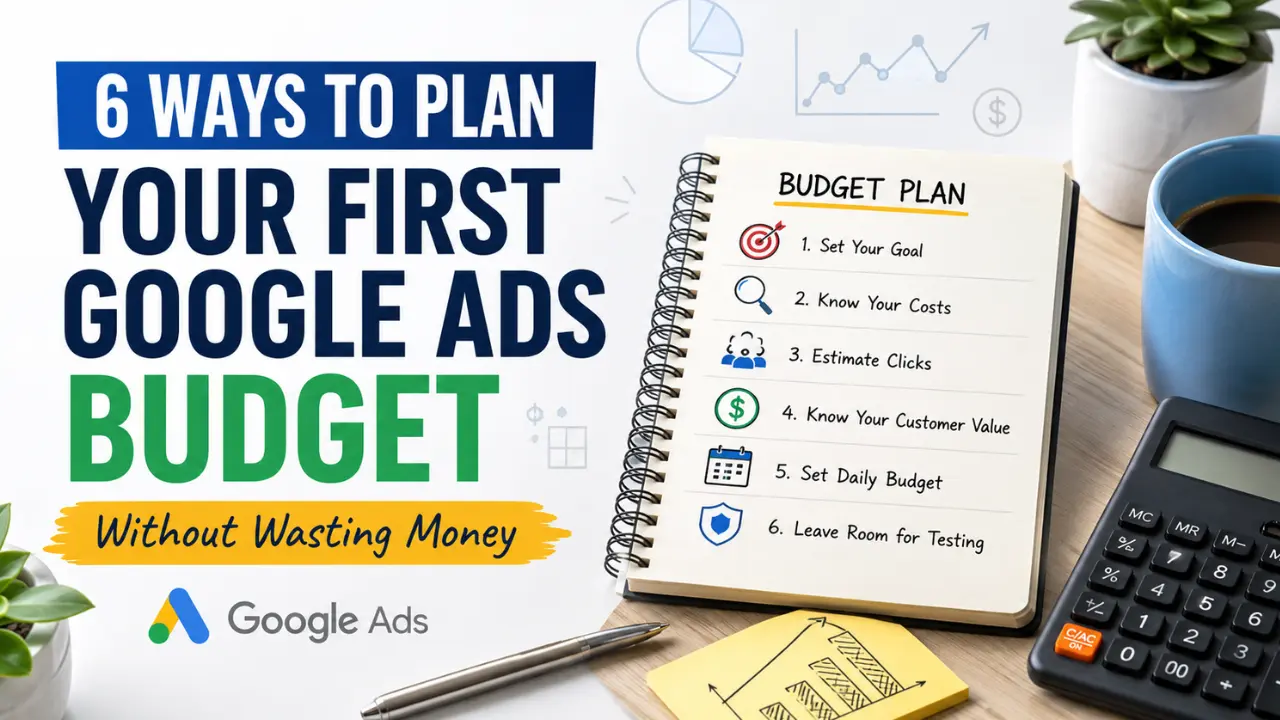

Planning your first Google Ads budget should not begin with a random daily amount. A small business can waste money quickly when the campaign starts before the owner understands the goal, likely click cost, customer value, testing period, and tracking setup.
The best way to plan your first Google Ads budget is to treat it as a controlled testing budget, not a guaranteed sales machine. Your first budget should help you learn which keywords, locations, offers, and landing pages can bring real calls, leads, bookings, or sales. If the budget is too small, you may not collect enough data. If it is too large too soon, you may spend heavily before the campaign is ready.
For small business owners, the goal is not to spend the most money. The goal is to spend enough to test properly while keeping the campaign controlled.
Why Your First Google Ads Budget Should Not Be a Guess
Many beginners start Google Ads by asking, “How much should I spend per day?” That is a reasonable question, but it is not the first question. The first question should be, “What am I trying to get from this campaign?”
A Google Ads budget is only useful when it is connected to a business result. If you want phone calls, the campaign should be planned around call intent, call tracking, and a page that makes calling easy. If you want quote requests, the budget should support keywords and landing pages that attract people who are ready to compare service providers. If you want online sales, the budget should be connected to product margins, conversion rate, and checkout tracking.
A random $10, $20, or $50 daily budget can create confusion because the number alone does not tell you whether the campaign has enough room to work. A $20 daily budget may be enough for a small local niche with low click costs, but it may be too weak in a competitive industry where one click can cost much more.
This is why your first Google Ads budget should be planned from the business goal backward, not from a number you saw online.
Also Read: 6 Reasons Google Is Intentionally Hiding Your Small Business
1. Start With the Result You Want From the Campaign
The first way to plan your Google Ads budget is to define the exact result you want the campaign to produce. This matters because different goals need different budgets, keywords, landing pages, and tracking.
A business that wants phone calls from local customers will not plan the same way as a business that wants online purchases. A law firm, roofing company, HVAC contractor, dentist, cleaning service, consultant, or local store may all use Google Ads, but the value of one customer and the cost of reaching that customer can be very different.
Before choosing a daily budget, decide what action matters most.
Useful campaign goals include:
- Phone calls: Best for urgent local services, appointment-based businesses, and service providers.
- Quote requests: Best for home services, contractors, B2B services, and custom-priced offers.
- Bookings: Best for clinics, salons, consultants, trainers, and appointment-based businesses.
- Online sales: Best for ecommerce stores and product-based businesses.
- Lead forms: Best for services that need customer details before giving a price.
- Store visits or direction clicks: Best for local businesses that depend on nearby customers.
This first step protects your budget because it stops you from paying for traffic without knowing what success looks like. If the campaign does not have a clear goal, every click can feel like activity, but not every click has business value.
A beginner should not start with “I want more traffic.” Traffic is too broad. A better goal is “I want more calls from people looking for emergency plumbing in my service area” or “I want quote requests from small businesses that need Google Ads setup.”
The more specific the result, the easier it becomes to plan a budget that supports that result.
2. Estimate How Much Clicks May Cost in Your Market
The second way to plan your first Google Ads budget is to understand that click cost changes by market. Google Ads does not charge every business the same amount. Your cost can change based on the industry, keyword, location, competition, customer value, and search intent.
This is where many small businesses get surprised. One owner may spend $300 and get many clicks. Another owner may spend the same amount and get only a small number of clicks because their industry is more competitive.
For example, clicks in legal services, insurance, finance, home improvement, HVAC, roofing, plumbing, real estate, and B2B services are often more expensive because one customer can be worth a lot of money. Businesses compete heavily for those searches because a single lead may turn into a high-value sale.
On the other hand, some lower-competition niches may allow a small budget to collect more traffic. But more traffic does not always mean better results. A cheaper click can still be useless if the person is not ready to buy, call, book, or request a quote.
The budget question should not be, “Can I get cheap clicks?” The better question is, “Can my budget buy enough relevant clicks to test whether this campaign can produce real customers?”
Here is a simple way to think about it:
| Planning Question | Why It Matters |
|---|---|
| What service or product am I advertising? | Some offers naturally need a larger test budget because the market is more competitive. |
| What location am I targeting? | A large city may cost more than a smaller local market. |
| What type of keyword am I targeting? | Buyer-intent keywords usually cost more than research keywords. |
| How many clicks can my budget realistically buy? | A budget that buys too few clicks may not create enough data to judge the campaign. |
| What is one customer worth? | Higher-value customers may justify a higher cost per click or cost per lead. |
If your expected click cost is low, a small testing budget may be enough to learn something. If your expected click cost is high, a very small budget may only bring a handful of clicks, which can make the campaign look like it failed before it had a fair chance.
3. Decide How Many Clicks You Need for a Fair Test
The third way to plan your first Google Ads budget is to decide how much traffic is needed before you judge the campaign. Many beginners make the mistake of spending a small amount, getting only a few clicks, and then deciding that Google Ads does not work.
The problem is that five or ten clicks usually do not prove much. A small number of clicks may not show whether the keywords are right, whether the landing page is strong, whether the offer is clear, or whether the audience is serious.
Your first budget should be large enough to reveal patterns. You are not only buying traffic. You are buying information about the market.
A fair test should help you answer questions like:
- Which keywords are bringing useful visitors?
- Are people clicking but leaving quickly?
- Are calls, forms, or bookings happening?
- Are the leads serious or low quality?
- Is the landing page matching the ad promise?
- Are some locations performing better than others?
- Are certain search terms wasting money?
If your budget is too small, you may not get enough clicks to answer these questions. That creates a dangerous situation because you may make decisions based on weak data. You may pause a campaign that needed improvement, or you may increase spending on a campaign that is not properly tracked.
For example, if your clicks are expensive and your monthly budget is very low, the campaign may only bring a small amount of traffic. That does not give enough room to test different keywords, ads, or landing pages. In that case, the issue may not be that Google Ads is useless. The issue may be that the budget is not enough for the kind of test you are trying to run.
A beginner should plan the first budget around learning, not guessing.
4. Match Your Budget to the Value of One Customer
The fourth way to plan your first Google Ads budget is to connect the budget to customer value. This is one of the most important parts of paid advertising because not every business can afford the same cost per lead or cost per customer.
A business where one customer is worth $80 cannot spend like a business where one customer is worth $5,000. A low-margin business needs tighter control because each sale leaves less room for advertising cost. A high-value service business may be able to pay more for a qualified lead because one closed customer can produce much more revenue.
This does not mean high-value businesses should spend carelessly. It means the budget should make sense based on the economics of the business.
Think about these examples:
- A cleaning service may need a lower cost per lead unless customers become repeat clients.
- An HVAC company may afford a higher lead cost because repair, installation, or maintenance customers can be valuable.
- A lawyer or financial service provider may operate in a high-cost ad market because one client can be worth a lot.
- A local consultant or agency may accept a higher cost per lead if one client stays for several months.
- An ecommerce store must compare ad spend with product margin, shipping cost, and repeat purchase potential.
This is why the first Google Ads budget should not be copied from another business. Two businesses can spend the same amount and get very different results because their margins, lead value, closing rate, and customer lifetime value are different.
A simple budget planning question is:
How much can I afford to spend to get one serious lead or customer without hurting the business?
You may not know the exact answer before launching, but you should have a starting estimate. If you do not know your numbers, you may judge the campaign emotionally instead of financially.
For example, a business owner may feel that $50 for a lead is expensive. But if that lead often turns into a $2,000 customer, the cost may be acceptable. Another business may think $10 per lead is cheap, but if the product margin is very low and few leads buy, that cost may still be too high.
The value of one customer gives your budget context.
5. Turn Your Monthly Budget Into a Realistic Daily Budget
The fifth way to plan your Google Ads budget is to think monthly first, then daily. Google Ads often asks for a daily budget, but small business owners should understand what that daily amount means over a full month.
A daily number can look small, but it becomes a real monthly commitment.
For example:
| Daily Budget | Approximate Monthly Budget |
|---|---|
| $10 per day | About $300 per month |
| $20 per day | About $600 per month |
| $30 per day | About $900 per month |
| $50 per day | About $1,500 per month |
| $100 per day | About $3,000 per month |
This helps you avoid choosing a daily budget that feels comfortable for one day but becomes uncomfortable across the month.
A first Google Ads budget should be something your business can sustain long enough to test properly. If you can only afford to run ads for a few days, you may not collect enough useful data. If you set the daily budget too high without tracking and landing page readiness, you may spend too fast before you understand what is working.
The monthly view also helps you plan cash flow. Small businesses often make the mistake of treating advertising as a short burst instead of a measured test. A better approach is to decide what you can spend for the full first month, then divide that into a daily budget that gives the campaign room to run without creating panic.
For example, if your first-month test budget is $600, a $20 daily budget gives you a controlled month-long test. If your first-month budget is $1,500, a $50 daily budget gives more room to collect data, especially in a competitive market.
The right number depends on your business, but the principle is the same: plan the monthly limit first so the daily budget does not become a blind guess.
6. Leave Room for Testing, Tracking, and Fixes
The sixth way to plan your first Google Ads budget is to leave room for learning and improvement. A beginner should not expect the first version of a campaign to be perfect. The first month often reveals what needs to be tightened.
Some keywords may bring weak traffic. Some search terms may be irrelevant. Some locations may not perform well. Some ads may get clicks but not leads. Some landing pages may need a clearer call to action. Some phone calls may not be tracked properly.
This is why the first budget should include room for testing, not just spending.
A smart first-month budget should support activities like:
- Reviewing search terms: See what people actually searched before clicking.
- Adding negative keywords: Block searches that are not useful for the business.
- Checking call and form tracking: Make sure real conversions are being measured.
- Testing ad messages: Compare which headlines and descriptions attract better visitors.
- Improving the landing page: Make the page clearer, faster, and more relevant to the ad.
- Adjusting locations: Stop spending in places that are outside the real service area.
- Pausing weak keywords: Remove terms that spend money without producing useful actions.
This does not mean changing everything every day. Too many changes can make it difficult to understand what caused the result. The goal is to review the campaign carefully and improve it based on evidence.
Before spending your first budget, it also helps to understand the campaign structure through a guide like [7 Steps to Set Up a Google AdWords Campaign], because poor setup can waste money even when the budget itself is reasonable.
Your budget should not only buy clicks. It should help you build a better campaign.
What Happens If Your Google Ads Budget Is Too Small?
A very small Google Ads budget is not always bad, but it can create problems if it is too small for the market you are entering. The biggest issue is that the campaign may not collect enough data.
If your budget only buys a few clicks, you may not know whether the campaign failed because of the keyword, ad, landing page, offer, tracking, or simply lack of volume. This can lead to poor decisions.
A budget that is too small can cause several problems:
- Not enough clicks: The campaign does not get enough visitors to show a pattern.
- Slow learning: It may take too long to understand which keywords are useful.
- Weak testing: You may not have enough traffic to compare ad messages or landing pages.
- Emotional decisions: The owner may stop the campaign too early because results are unclear.
- Limited optimization: The campaign does not have enough conversion data to improve properly.
This is why “start small” is good advice only when the budget is still large enough to create a meaningful test. Starting small should mean controlled spending, not meaningless spending.
What Happens If Your Google Ads Budget Is Too Big Too Soon?
A large first budget can also create problems if the campaign is not ready. More money does not automatically fix weak targeting, poor landing pages, bad tracking, or unclear offers.
If the first campaign is poorly structured, a bigger budget may simply waste money faster. This is especially dangerous for beginners who have not reviewed search terms, added negative keywords, checked conversion tracking, or matched the landing page to the ad promise.
A budget that is too big too soon can cause these problems:
- Fast waste: Bad keywords and irrelevant searches spend more quickly.
- Poor learning: The business may collect data, but the data may come from a weak setup.
- Wrong confidence: A high spend can create pressure to keep running even when the campaign needs fixing.
- Tracking confusion: The business may not know which clicks produced calls, forms, bookings, or sales.
- Landing page losses: More traffic goes to a page that may not be ready to convert.
The first budget should be serious enough to test, but controlled enough to protect the business while learning.
A Simple First-Month Google Ads Budget Planning Example
A simple example can make the planning process clearer.
Imagine a local service business wants to run Google Ads for quote requests. The owner has a first-month test budget of $900. Instead of setting a random amount, the owner plans it this way:
| Budget Planning Step | Example Decision |
|---|---|
| Main goal | Quote requests from local customers |
| Monthly test budget | $900 |
| Daily budget | About $30 per day |
| Target area | Only profitable service locations |
| Conversion actions | Calls and quote forms |
| First-month focus | Learn which keywords and locations bring serious inquiries |
| Review schedule | Check search terms and conversions weekly |
This does not guarantee profit, but it creates a controlled test. The business knows what it wants, how much it can spend, what actions it will track, and how it will judge the campaign.
That is much better than launching with a random daily budget and hoping the platform figures everything out.
How Should You Plan Your First Google Ads Budget?
You should plan your first Google Ads budget by starting with the business result you want, estimating your likely click costs, deciding how many clicks you need for a fair test, comparing the budget with the value of one customer, turning the monthly budget into a realistic daily budget, and leaving room for tracking and improvements.
The first budget does not need to be perfect, but it should be intentional. A small business should not spend blindly just because Google Ads can bring traffic. The campaign needs a clear goal, controlled targeting, conversion tracking, and enough budget to learn from real data.
If you want to understand what usually breaks after a campaign starts spending, read Why Do Most Ads Fail? 12 Real Reasons and Solutions for the broader problems behind wasted ad spend.
Your first Google Ads budget should help you learn, not just spend. When the budget is planned around customer value, click cost, testing time, and measurable actions, the campaign becomes easier to judge and easier to improve.

2 thoughts on “6 Ways to Plan Your First Google Ads Budget Without Waste”