
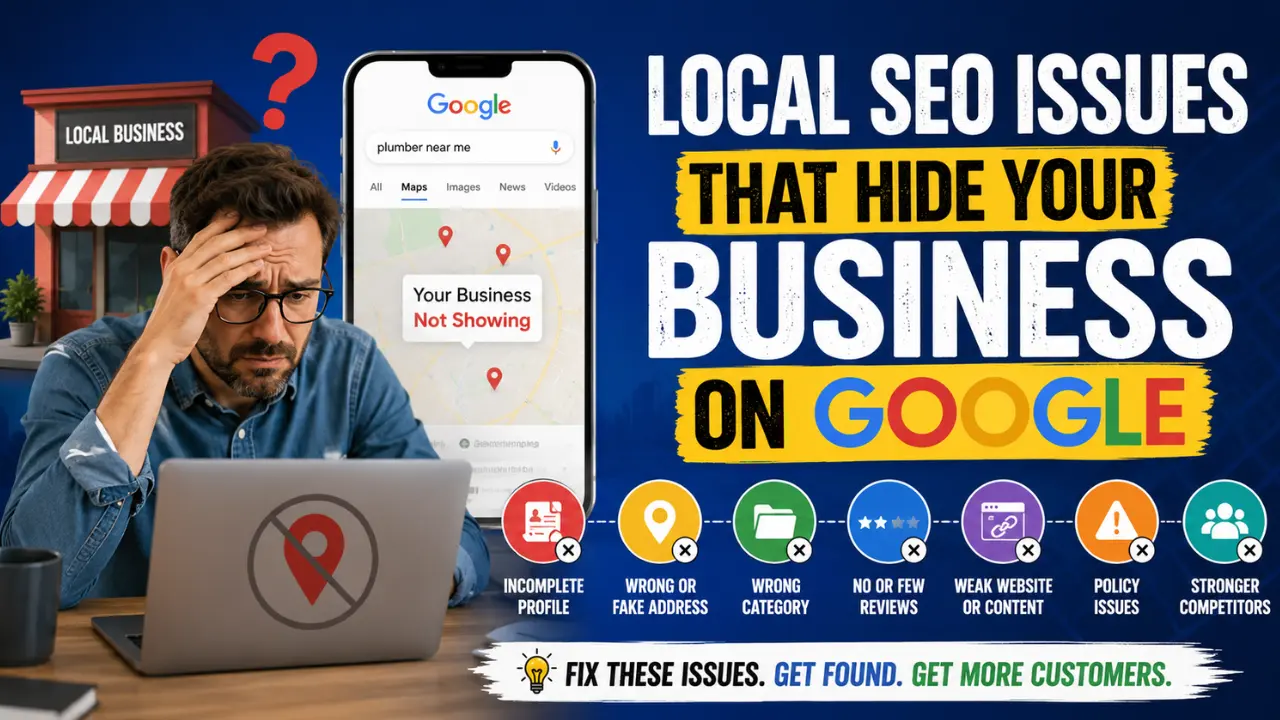

If your business does not show on Google, the problem usually comes from verification, incomplete business information, wrong category setup, weak local ranking signals, website issues, policy restrictions or stronger competitors in your area. A business can also appear for its name but fail to appear for service keywords like “plumber near me,” “HVAC repair in Dallas,” or “best dentist near me.”
Google does not show every business for every search. For local results, Google says it mainly looks at relevance, distance, and prominence when deciding which businesses appear in Search and Maps. That means your profile must clearly match the search, serve the right location, and show enough trust compared with nearby competitors.
Why Your Business Is Not Showing on Google
| Problem | What It Usually Means | First Fix |
|---|---|---|
| Not verified | Google has not confirmed you manage the business | Complete the available verification method |
| Profile is incomplete | Google lacks enough business details | Add accurate services, hours, category, photos, website, and phone |
| Wrong category | Google does not understand what you do | Choose the most accurate primary category |
| Weak location signals | Google does not connect you to the searched area | Fix address, service area, location pages, and local references |
| Suspended or restricted profile | Google found a policy or account issue | Review guidelines and submit an appeal if needed |
| Website is weak or missing | Google has less supporting proof about your business | Build service and location pages |
| Competitors are stronger | Others have more reviews, authority, and relevance | Improve reviews, photos, pages, citations, and local SEO |
| New profile | Google may need time and signals | Keep the profile accurate and active |
| Ads are not running | You want immediate paid visibility but only rely on organic ranking | Set up a Search or local campaign correctly |
1. Your Google Business Profile Is Not Verified Yet
A business usually needs a verified Google Business Profile before it can properly appear and be managed in Google Search and Maps. Google decides which verification options are available based on business type, public information, region, and other factors. Some businesses may need phone, text, email, postcard, live video, or video recording verification.
This matters because verification proves that you manage or represent the business. Without it, you may not have full control over how your business information appears.
What to Check
Search your business name on Google and Google Maps. Then check your Business Profile dashboard for messages such as “Get verified,” “Pending verification,” or “Processing.”
If Google asks for video verification, the video should clearly prove the business location, business existence, and your authority to manage the business. For service-area businesses, Google may ask for proof such as branded vehicles, business documents, equipment, or proof that you perform the service.
How to Fix It
Complete the verification method Google gives you. Do not create duplicate profiles just because the first profile is slow to appear. Duplicate profiles can create confusion and may cause bigger visibility problems later.
A weak or confusing business name can also make Google visibility harder, especially when customers cannot easily search, remember, or recognize your brand. That is why new owners should understand the basics of choosing a business name that works online before setting up a website, Google Business Profile or ad campaign.
2. Your Business Information Is Incomplete or Inaccurate
Google says businesses with complete and accurate information are more likely to show in local search results. Google also warns that inaccurate business information can stop a Business Profile from showing for relevant searches in the area.
This is one of the most common reasons a small business does not appear properly on Google. Many owners create a profile, add a name and phone number, then leave the rest weak.
What Google Needs to Understand
Your profile should clearly show:
- What your business does
- Where your business serves customers
- When customers can contact or visit you
- Which services or products you offer
- Which website represents the business
- Which phone number reaches the actual business
Do not treat the Business Profile as a basic listing. Treat it as your local trust page.
How to Fix It
Go through the profile section by section. Fix your business name, primary category, secondary categories, services, business hours, phone number, website, address or service area, appointment link, business description, photos, and opening date.
Google allows owners to edit business information through the Business Profile, and it also shows collected information that may come from other sources. Review that section because wrong third-party information can sometimes create confusion.
3. You Chose the Wrong Primary Category
Your primary category tells Google what your business mainly is. If you choose a broad or incorrect category, Google may not connect your profile to the right searches.
For example, a garage door repair company should not use a vague category just because it sounds professional. A personal injury lawyer should not choose a general legal category if a more specific category fits better. A local HVAC company should not hide its real service under a broad “contractor” label.
Why Category Choice Affects Visibility
Google uses relevance to match a business with a search. If your category does not match the searcher’s intent, your profile becomes less relevant even if your business actually offers the service.
How to Fix It
Choose the category that best represents your main money service. Then add secondary categories only when they genuinely match your business.
Do not add unrelated categories just to appear for more searches. That usually weakens clarity. A focused profile often performs better than a profile trying to rank for every possible service.
4. Your Address, Service Area, or Map Pin Is Confusing Google
Local visibility depends heavily on location. If your address, service area, or pin location is wrong, Google may not understand where your business should appear.
This is especially important for service-area businesses like plumbers, roofers, electricians, locksmiths, cleaners, mobile mechanics, HVAC companies, and home repair businesses.
Google says service-area businesses that do not serve customers at their business address should hide the address and show a service area. Google also says businesses with a visible storefront should maintain proper signage and be staffed during business hours.
Common Location Mistakes
Some businesses use a home address but show it publicly even though customers never visit. Others use a virtual office, coworking address, mailbox, or fake location to rank in a city. These setups can create policy and visibility problems.
How to Fix It
Set up the location based on how your business truly operates.
If customers visit your storefront, use the real staffed address. If you travel to customers, hide your address and set an accurate service area. If your map pin is wrong, adjust it inside your Business Profile.
Avoid adding too many cities just to look bigger. A service area that feels unrealistic can reduce trust and create confusion.
5. Your Business Profile Has a Suspension or Policy Problem
Sometimes a business does not show because the profile is suspended, disabled, restricted, or under review. Google says it may suspend or disable Business Profiles that do not follow its guidelines. If the owner believes the profile should be reinstated, they can submit an appeal.
A suspension does not always mean the business is fake. It can happen because of naming issues, address issues, duplicate profiles, suspicious edits, unsupported business models, or policy violations.
Mistakes That Can Trigger Problems
Business owners often hurt their own profiles by adding keyword-stuffed names like:
“Smith Plumbing Best Emergency Plumber Dallas 24/7 Water Heater Repair”
That may look attractive, but it does not represent the real business name. Google’s guidelines say business information should represent the business accurately, and address lines should not include unnecessary keywords or URLs.
How to Fix It
Before appealing, correct the profile. Use the real business name, real address setup, real phone number, real website, and accurate category. Remove fake locations, duplicate listings, and keyword stuffing.
Then submit the appeal only after your profile matches Google’s guidelines. Submitting appeals without fixing the cause can waste time.
Before choosing an agency or freelancer, review these essential parts of an ecommerce PPC service so you know what you are actually paying for.
6. Your Profile Is New and Has Too Few Trust Signals
A new Business Profile may not appear strongly right away, especially for competitive searches. Verification gives you control, but it does not automatically place your business above established competitors.
A new profile usually lacks review history, photo activity, local mentions, website authority, and customer engagement. Google has less evidence to trust.
What a Weak New Profile Looks Like
A weak profile often has:
- No reviews
- Few or no photos
- Thin service descriptions
- No website
- No location-specific pages
- No local citations
- No consistent business information across the web
- No customer interaction
How to Fix It
Build trust steadily. Add real photos of your work, team, vehicles, storefront, equipment, and completed projects. Ask satisfied customers for honest reviews. Respond to reviews professionally. Add services with clear descriptions. Keep your hours updated.
Do not use fake reviews. They can damage trust and create risk.
7. Your Website Does Not Support Your Google Business Profile
Your Google Business Profile and website should support each other. If your profile says “roof repair in Austin” but your website barely mentions roof repair or Austin, Google receives a weak relevance signal.
Google’s local ranking guidance mentions prominence and says web results position can also be a factor, so standard SEO practices apply.
What Your Website Should Prove
Your website should make three things clear:
- The exact services you offer
- The locations you serve
- Why customers should trust your business
A homepage alone is often not enough. A serious local business should have specific service pages and location pages where appropriate.
Example
A cleaning business should not rely only on a homepage titled “Best Cleaning Services.” It should have pages like:
- House Cleaning in Phoenix
- Move-Out Cleaning in Phoenix
- Deep Cleaning Services in Phoenix
- Apartment Cleaning in Scottsdale
- Office Cleaning in Tempe
Each page should answer the search intent clearly instead of repeating the same generic text with only the city name changed.
8. Your Competitors Have More Prominence
Sometimes nothing is technically wrong with your profile. You are simply weaker than competitors.
Google’s local ranking system considers prominence, which can include information from across the web, links, articles, directories, reviews, and overall online presence. Google also says review count and review score can factor into local search ranking.
What Stronger Competitors Usually Have
They often have:
- More quality reviews
- Better review score
- More complete profiles
- Better photos
- Stronger service pages
- More local backlinks
- More directory consistency
- Better brand searches
- More years of local presence
This is why a verified profile does not always outrank older businesses.
How to Fix It
Do not copy competitors blindly. Study why Google may trust them more. Then improve your own proof.
Build better service pages. Collect real reviews after completed jobs. Add fresh project photos. Get listed on relevant local directories. Earn mentions from local websites, chambers, suppliers, sponsorships, industry associations, and community pages.
Prominence grows when the internet repeatedly confirms that your business is real, active, and relevant.
9. You Are Expecting Organic Visibility When You Need Paid Visibility
If you need calls immediately, organic local ranking may not move fast enough. Google Ads can help a business appear in paid placements while SEO and profile strength grow.
Google’s own Ads help explains that new users can create a campaign by adding business information, choosing goals and budget, and entering payment details. Google also provides Search campaign setup steps such as choosing a goal, campaign settings, ad groups, ads, and budget.
For businesses with a physical location or service area, Google also says Search Ads on Maps can help reach nearby users.
When Ads Make Sense
Google Ads may make sense if:
- You need leads this week
- Your profile is new
- Competitors dominate local results
- Your service has high customer value
- Your website can convert visitors into calls
- You know your target locations and services
When Ads Can Waste Money
Ads can waste money if your landing page is weak, your phone is not answered, your service area is too broad, your keywords are too general, or your campaign sends traffic to a page that does not match the search.
Paid visibility should not replace local SEO. It should support it.
Many small businesses blame the platform, but the real issue often starts with the common reasons ads fail and the solutions behind them.
How to Fix a Business That Does Not Show on Google
Start with the basics before chasing advanced SEO tactics.
Step 1: Search Your Business in Different Ways
Search your exact business name first. Then search your main service plus city. Then search your service “near me” from the service area.
For example:
- “ABC Plumbing”
- “ABC Plumbing Dallas”
- “emergency plumber Dallas”
- “water heater repair near me”
This tells you whether the problem is brand visibility, category relevance, local ranking, or keyword competition.
Step 2: Check Verification and Profile Status
Open your Business Profile dashboard and check for warnings, verification requests, suspensions, pending edits, disabled status, or restricted access.
Do not ignore small alerts. A pending verification or profile restriction can block progress.
Step 3: Fix Business Information
Make sure your business name, phone number, website, address, service area, hours, and category match your real business.
Use a local phone number when possible. Use a website that represents the actual business. Keep your business hours accurate.
Step 4: Improve Your Service and Location Relevance
Add clear services inside the profile. Then create matching pages on your website.
A roofing company should have separate pages for roof repair, roof replacement, emergency roof leak repair, metal roofing, flat roofing, and commercial roofing if those are real services.
A dentist should have pages for dental cleaning, emergency dentist, teeth whitening, dental implants, root canal, and family dentistry if those services are offered.
Do not create fake service pages. Create pages that match real services customers can buy.
Step 5: Build Real Reviews
Ask real customers for reviews after successful service. Make the request simple and polite.
Do not pressure customers. Do not offer rewards for positive reviews. Do not ask employees or fake accounts to review the business.
Respond to reviews with useful, professional replies. A strong reply can mention the service and location naturally without sounding robotic.
Step 6: Add Better Photos
Photos help prove that the business is active. Add real images of your team, storefront, vehicles, equipment, projects, office, signage, and completed work.
Avoid only using stock images. Stock photos do not prove local trust.
Step 7: Strengthen Local Citations
Make sure your business name, address, phone number, website, and category are consistent on important platforms. This can include local directories, industry directories, chamber of commerce listings, supplier pages, social profiles, and review sites.
Consistency helps reduce confusion.
Step 8: Use Google Ads Carefully if You Need Faster Leads
If organic visibility is slow, run a focused Search campaign for your highest-intent services. Do not start with broad keywords like “home services” or “business help.”
Use specific buyer-intent keywords such as:
- emergency plumber near me
- roof repair Dallas
- HVAC repair Austin
- dentist open Saturday
- personal injury lawyer Phoenix
- water heater replacement Houston
Send each ad group to a relevant page. Track calls and form submissions. Stop keywords that spend money without producing leads.
What Not to Do When Your Business Does Not Show on Google
Do not create multiple fake profiles for the same business. Do not stuff keywords into your business name. Do not use a virtual office if your business does not qualify. Do not buy fake reviews. Do not change categories every day. Do not keep submitting appeals before fixing policy issues.
These shortcuts may look useful at first, but they can damage visibility and trust.
How Long Does It Take for a Business to Show on Google?
There is no single guaranteed timeline. A verified and properly completed profile may appear for brand searches sooner than it appears for competitive service keywords.
For easy brand searches, the issue may improve after verification and accurate setup. For competitive local keywords, improvement can take longer because Google compares your business with other businesses nearby.
The practical question is not only “When will Google show my business?” The better question is “Does Google have enough proof to trust my business for this search in this location?”
Should You Focus on Google Business Profile, SEO or Ads First?
Most small businesses should not choose only one. The best order is usually:
- Fix the Google Business Profile
- Fix the website pages
- Build reviews and local trust
- Add local citations and supporting links
- Use Google Ads for high-intent searches when you need faster leads
This creates both short-term and long-term visibility.
A business that only runs ads may keep paying forever without building authority. A business that only waits for SEO may lose leads while competitors take the top spots. A business that strengthens both organic and paid visibility has a better chance of turning Google searches into real calls.

1 thought on “Why Does My Business Not Show on Google? 9 Reasons and Fixes”