
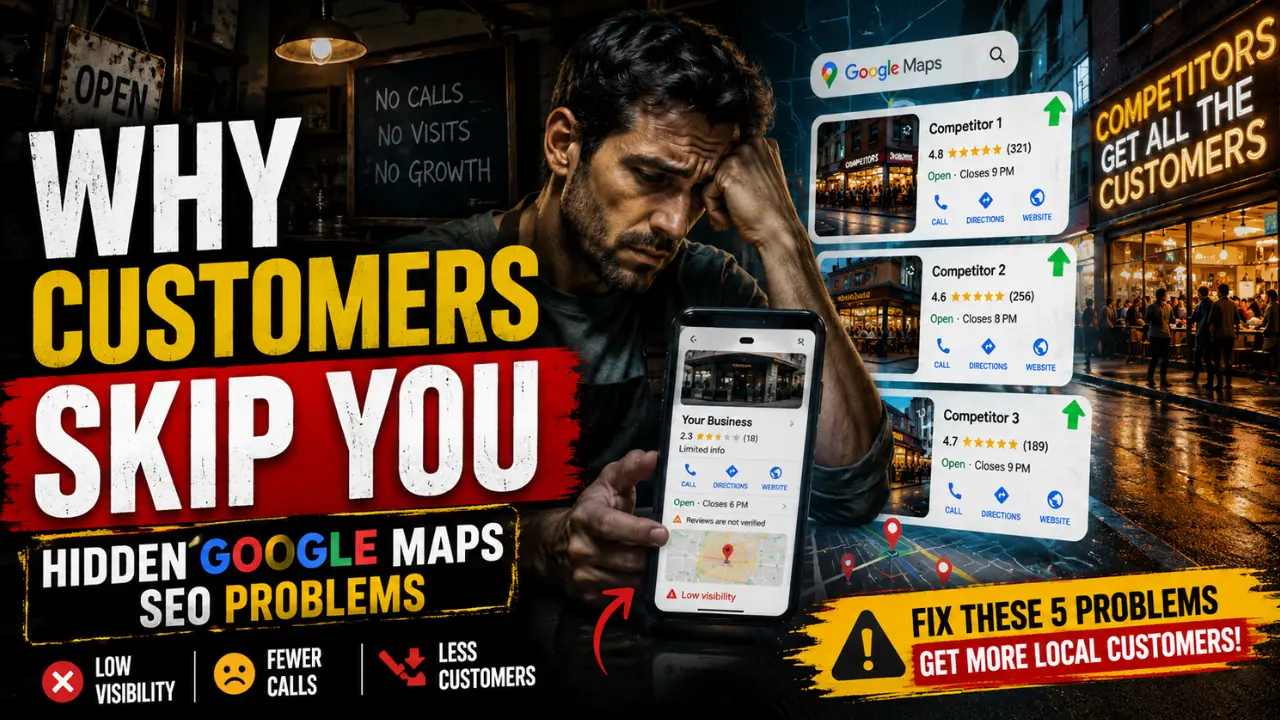

Many local businesses do not lose customers because their service is weak. They lose customers because nearby people do not see enough clear signals to choose them at the moment of decision.
Google Maps is often where that decision happens. A person searching for a dentist, plumber, café, salon, repair shop, clinic, accountant, restaurant or local store is usually not browsing casually. They are comparing nearby options with intent. They want a business that looks relevant, open, trusted, close enough and easy to contact.
That makes Google Maps SEO different from broad website SEO. A normal website visitor may read, compare and return later. A Google Maps user often wants to act quickly. They may call, request directions, check opening hours, read reviews, compare photos or visit the website within minutes. If the profile creates doubt during that short decision window, the customer can move to a competitor without the business owner ever knowing what was lost.
Google Maps visibility is shaped by how clearly Google understands the business and how confidently customers respond to it. Categories, business information, reviews, local pages and profile activity all influence that local decision system, much like [how high-intent local searches depend heavily on trust, relevance and decision-stage visibility — Why High-Intent Visibility Has More Commercial Value].
The problem is that these weaknesses rarely create a sudden collapse. They usually reduce calls, direction requests, visits and inquiries slowly.
Google Maps Drives Local Action
Google Maps is not only a ranking screen. It is a decision screen. Customers are not only asking, “Who ranks highest?” They are also asking, “Who looks most relevant, current, trustworthy and easy to contact?”
This is why a business can appear in Maps and still lose customers. A listing may rank sometimes but fail to earn calls because the category feels unclear, the reviews look outdated, the hours seem unreliable, the photos do not show the real business or the website does not confirm the same local service promise.
For local businesses, ranking and conversion are closely connected. Visibility brings the profile into view but profile confidence turns that visibility into action, especially when customers are making fast comparisons between nearby options during high-intent local searches, much like [how customer trust signals directly influence local conversion decisions before contact even happens — Why Local Trust Signals Affect Customer Decisions].
Quick Diagnosis
| What You Notice | Likely Weakness | Where to Look First |
|---|---|---|
| Profile views but few calls | Weak reviews, photos, offer clarity or contact confidence | Reviews, photos, services, call button |
| Ranking for broad but not service-specific searches | Weak category or service alignment | Primary category, secondary categories, services |
| Calls dropped after moving or rebranding | Inconsistent business information | Address, phone, citations, old listings |
| Good ranking but few visits | Weak profile appeal or unclear hours/location confidence | Hours, directions, photos, reviews |
| Visibility changes often | Low activity, weak review freshness or inconsistent signals | Reviews, updates, profile completeness |
| Website visits but no action | Weak local landing page or poor mobile experience | Website, service pages, click-to-call |
The goal is not to optimize everything randomly. The goal is to identify which part of the local decision path is causing nearby customers to hesitate or choose another business.
1. Weak Categories Confuse Google
Business categories are one of the strongest relevance signals inside a Google Business Profile. They help Google understand what the business primarily does and which local searches it should be considered for.
The problem starts when a business chooses categories that are too broad, too vague or not aligned with its most valuable customer searches. A roofing company listed only as “Contractor” may send a weaker relevance signal than one listed as “Roofing Contractor.” A tax-focused professional listed only as “Consultant” may not be clearly connected to “tax consultant near me” or “small business tax help.” A restaurant may lose stronger relevance if it chooses a broad category while competitors select a more specific cuisine or dining category.
How This Lowers Local Visibility
Weak category targeting does not always remove a business from Google Maps. That is why the problem is easy to miss. The profile may still appear for branded searches or broad local searches but it may struggle to appear when customers search for the exact service that creates calls, visits or bookings.
For example, an appliance repair business may appear for general repair searches but fail to show consistently for “washing machine repair near me” or “refrigerator repair nearby” if the profile does not clearly support those service signals. The owner still sees some visibility, so the profile feels active. But the most valuable service-specific searches may be going to competitors with cleaner category alignment.
How to Spot Weak Category Alignment
You may have a category problem if the profile gets views but few qualified actions, appears for broad searches but not service-specific searches or ranks below competitors whose categories match the search more directly. Another sign is when customers frequently ask whether the business offers a service that should already be obvious from the profile.
A useful audit step is to search the exact service phrases that matter most and compare which competitors appear when your profile does not. Category mismatch often shows up first in those service-specific searches, not in branded searches.
General Categories vs Buyer Intent
| Weak Category Direction | Stronger Local Intent Direction |
|---|---|
| Contractor | Roofing Contractor |
| Consultant | Tax Consultant |
| Repair Service | Appliance Repair Service |
| Clinic | Dental Clinic |
| Restaurant | South Indian Restaurant |
The stronger category usually matches the customer’s buying language. It does not try to describe the whole business in the broadest possible way. It helps Google connect the profile to the searches that matter most.
What to Fix
Review the primary category first because it should reflect the main service or business type you most want to be found for. Secondary categories should support real services, not become a place to add every loosely related keyword. If the categories feel broad, mismatched or outdated, the listing may be sending unclear relevance signals.
2. Inconsistent Listings Hurt Credibility
Google Maps depends heavily on confidence. The business name, address, phone number, website, opening hours, service area and map location should all support the same local identity. When these details conflict across the web, both Google and customers may become less confident.
This issue is often called NAP inconsistency but the real problem is larger than name, address, and phone number. It includes wrong hours, old websites, duplicate profiles, old phone numbers, outdated suite numbers, wrong pins, closed locations that still appear online and different business names across directories.
Small Errors Reduce Calls and Visits
Local customers often act quickly. If they see conflicting hours, an old phone number, an uncertain address or a website that does not match the profile, hesitation increases. They may not spend time investigating the truth. They may simply choose a competitor that looks clearer.
This is where local SEO becomes a customer-flow issue, not just a ranking issue. Inconsistent information can reduce trust before the customer ever calls. A person looking for a clinic, repair service, restaurant or store wants confidence that the business is open, reachable and located where the profile says it is, especially because [outdated business listings can quietly send customers to the wrong phone number, address or operating hours — How Old Directory Listings Hurt Local Businesses].
Where These Issues Often Start
Inconsistency often appears after a business moves, changes phone numbers, rebrands, opens another branch, changes hours or updates its website. Old information can remain on Facebook, Apple Maps, Bing Places, Yelp, local directories, industry directories, old citations or older pages on the business website.
A business owner may update Google and assume the problem is fixed but customers and search engines can still find conflicting details elsewhere.
Duplicate or outdated listings can make this worse because they may continue showing old names, wrong phone numbers, closed locations or outdated hours. Even when the main profile is correct, an old listing can still send customers to the wrong place or create uncertainty during comparison.
Important Audit Checks
Check the main places customers may discover the business: Google Business Profile, website contact page, footer, social profiles, local directories, map platforms and any old listings. The goal is not obsessing over tiny punctuation differences. The goal is removing genuine confusion about who the business is, where it operates, when it is open and how customers should contact it.
Priority Areas to Fix
Keep the business name, address, phone number, website URL, opening hours and service area consistent across important platforms. If the business has moved or rebranded, prioritize cleaning the old information that still appears in search results. If duplicate listings exist, resolve them carefully because duplicates can split trust and confuse customers.
3. Weak Review Signals Hurt Visibility
Reviews influence Google Maps in two ways. They help customers decide whether to trust the business and they help the profile show signs of real local activity.
Many business owners think reviews are only about the star rating. The rating matters but it is not the whole review signal. A profile with recent, detailed, service-specific reviews and professional owner responses often feels more trustworthy than a profile with older, generic reviews and no business replies.
Quality Reviews Build More Trust
A customer comparing nearby businesses often scans reviews for patterns. They look for signs of reliability, speed, cleanliness, fairness, professionalism and problem-solving. A review saying “good service” helps a little. A review explaining that the technician arrived on time, explained the issue, charged fairly and completed the repair gives a future customer much more confidence.
This matters most in businesses where customers feel risk before buying: medical clinics, dental care, home repair, legal services, finance, beauty services, contractors and auto repair. In these categories, people are not only looking for availability. They are looking for reassurance that the business will not waste their time, money or trust.
Weak vs Strong Review Profiles
| Weak Review Pattern | Stronger Review Pattern |
|---|---|
| Old reviews with long gaps | Recent reviews every month |
| Short generic praise | Detailed customer experiences |
| No owner replies | Professional review responses |
| Reviews mention mixed services unclearly | Reviews mention specific services |
| Defensive replies to complaints | Calm, helpful responses |
The stronger review profile helps both visibility and conversion. It can improve the profile’s local trust signals while also making customers more likely to call or request directions after finding the listing.
Signs of Review Weakness
Review weakness may be a problem if profile views are steady but calls are low, competitors with similar services receive more actions, reviews are old, recent complaints are unanswered or customers mention competitors having “better reviews.” A business may still rank but weak review confidence can reduce the percentage of searchers who choose it.
Important Fixes to Make
Ask for reviews consistently after successful customer moments: completed appointments, finished repairs, repeat purchases, successful deliveries or positive verbal feedback. Encourage customers to describe the actual service experience rather than leaving only a star rating. Respond to reviews in a professional, human tone because future customers read owner responses as evidence of how the business handles people.
4. Weak Local Pages Hurt Trust
A Google Business Profile does not operate alone. The website connected to the profile often confirms whether the business is genuinely relevant to the local search. Many businesses lose customer actions because the website does not support what the Maps listing promises.
This is especially important when customers click from Maps to the website before calling. If the profile says the business offers emergency plumbing but the website opens to a generic homepage with vague service language, weak contact visibility and no local proof, the customer may lose confidence. The Maps listing earned the click but the website failed to continue the decision.
How This Reduces Visits
Local customers need fast confirmation. They want to know whether the business serves their area, offers the exact service, looks trustworthy and is easy to contact. A weak local page forces the customer to work too hard.
For example, a dental clinic may list emergency dental care on its profile but the website may not clearly explain emergency appointments, opening hours, parking, insurance or phone contact. A plumber may serve several nearby towns but the website may only have a broad homepage that does not make service areas clear. A local accountant may mention “financial solutions” while failing to support practical searches like bookkeeping, tax filing, payroll or small business tax help.
Why Strong Local Pages Work
Strong local pages connect the service, location and customer decision in one place. They explain what the business offers, where it serves, who it helps and how a nearby customer can take action.
Useful local page elements include clear service descriptions, service area details, click-to-call buttons, embedded map or address consistency, local testimonials, real photos, business hours, appointment information, parking or visit details when relevant and mobile-friendly design.
The goal is not stuffing city names into thin pages. The goal is making the website feel like a natural extension of the Google Business Profile.
Signs the Site Hurts Conversions
The website may be a problem if Google Maps sends profile clicks but customers do not call, if mobile users leave quickly, if service pages are generic, if the contact information is hard to find or if the profile and website describe the business differently. This is especially damaging when competitors have clearer service pages and stronger local proof.
Priority Areas to Fix
Review the page linked from the Google Business Profile. Make sure it supports the primary services and locations the profile is trying to rank for. If the business serves multiple real areas, build helpful service-area pages with unique local relevance. Keep the business name, phone number, address and service details consistent with the profile.
5. Weak Profile Activity Hurts Trust
Many businesses create a Google Business Profile, optimize it once and then leave it untouched for months. That creates a quiet Maps SEO problem because local customers often judge whether a business looks active before deciding to call or visit.
A profile can exist and still feel abandoned. Old photos, unanswered reviews, outdated services, missing special hours and inactive updates can make a business look less current than competitors. This matters because local searchers often want help now, not eventually.
Visibility Is Not Activity
A business owner may think, “We already have a Google Business Profile.” But having a profile is not the same as maintaining a profile that supports customer decisions.
An active profile gives customers more confidence that the business is open, responsive, and still serving the listed area. Recent photos show the real environment. Review responses show customer engagement. Updated hours reduce uncertainty. Fresh service details help customers understand what is available now.
Activity Signals Support Trust
Profile activity should support customer decisions, not simply create noise. Useful activity helps a nearby searcher understand what the business offers today, whether it is open, what the place looks like, how customers are treated and whether the information is still current.
A bakery can show seasonal products. A restaurant can show current dishes or dining space. A repair business can show completed work. A clinic can update appointment information. A store can show new arrivals. A salon can show recent work with permission.
The activity should be real and useful, not artificial posting for the sake of posting. Customers can often sense the difference between genuine business updates and meaningless promotional noise, especially when [business photos and recent customer interaction help local searchers visualize the real customer experience before visiting — Why Visual Trust Signals Matter in Local SEO].
Signs Visibility Is Slowing
Low activity may be a problem if calls and direction requests have declined, competitors look fresher, reviews are old, photos no longer represent the business, business hours are outdated or customer questions remain unanswered. The profile may still appear in Maps but it may no longer create enough confidence to win the customer’s action.
Key Areas to Fix
Create a simple monthly profile routine. Check hours, services, photos, reviews, questions, website links and contact details. Add real business photos regularly. Respond to reviews before they pile up. Keep the profile useful for someone deciding today, not someone reading an old listing from last year.
Prioritizing Maps SEO Problems
Not every business needs to start in the same place. The right first fix depends on where customer flow is breaking.
| Business Symptom | Start Here |
|---|---|
| Low calls despite profile views | Reviews, photos, contact clarity |
| Poor visibility for service searches | Categories, services, local pages |
| Wrong or outdated information online | NAP consistency and duplicate listings |
| Good ranking but few actions | Review quality and profile appeal |
| Visibility declined over time | Profile activity and review freshness |
| Website clicks but no inquiries | Local landing page and mobile contact path |
| Customers ask if you offer a service | Category, services and profile content |
This table matters because Google Maps SEO is not one universal fix. A business with weak categories needs a different first step than a business with strong visibility but poor profile conversion.
Why Local Customers Decline
Most Google Maps SEO problems do not destroy visibility overnight. They reduce customer flow gradually. That is why business owners often miss the issue.
The profile still exists. Some calls still happen. Branded searches may still work. But nearby competitors slowly capture more discovery searches, more direction requests, more calls and more walk-in customers because their profiles feel clearer, fresher and safer to choose.
Each weakness affects a different part of the local decision path. Weak categories reduce relevance. Inconsistent information reduces confidence. Weak reviews reduce buyer trust. Generic local pages weaken the decision after the click. Low activity makes the business feel less current.
Together, these issues quietly reduce the number of nearby customers who choose the business from Google Maps.
Improving Google Maps SEO is not about tricks. It is about making the business easier for Google to understand and easier for customers to choose. The winning profile is usually not the one with the most tricks. It is the one that gives Google and nearby customers the least uncertainty.
Frequently Asked Questions
Why is my business getting Google Maps views but very few calls?
This usually means the profile is appearing in searches but not creating enough confidence for customers to take action. Weak reviews, outdated photos, unclear services or inconsistent information often reduce calls even when visibility exists.
Do Google Maps reviews affect local SEO rankings?
Yes. Reviews help Google understand business activity, trustworthiness and customer engagement. Review freshness, detail and owner responses can also influence customer decisions directly.
Why does my business rank for some searches but not important service searches?
This often happens because of weak category targeting, unclear service relevance or local pages that do not strongly support the exact services customers search for.
Does my website affect Google Maps SEO?
Yes. The website connected to the Google Business Profile helps confirm local relevance, services, service areas and business trust signals.
Why do local customers skip some Google Maps listings?
Customers often avoid listings that look outdated, unclear, inactive, poorly reviewed or inconsistent compared to nearby competitors.

1 thought on “Google Maps SEO Mistakes That Hurt Store Visits”