
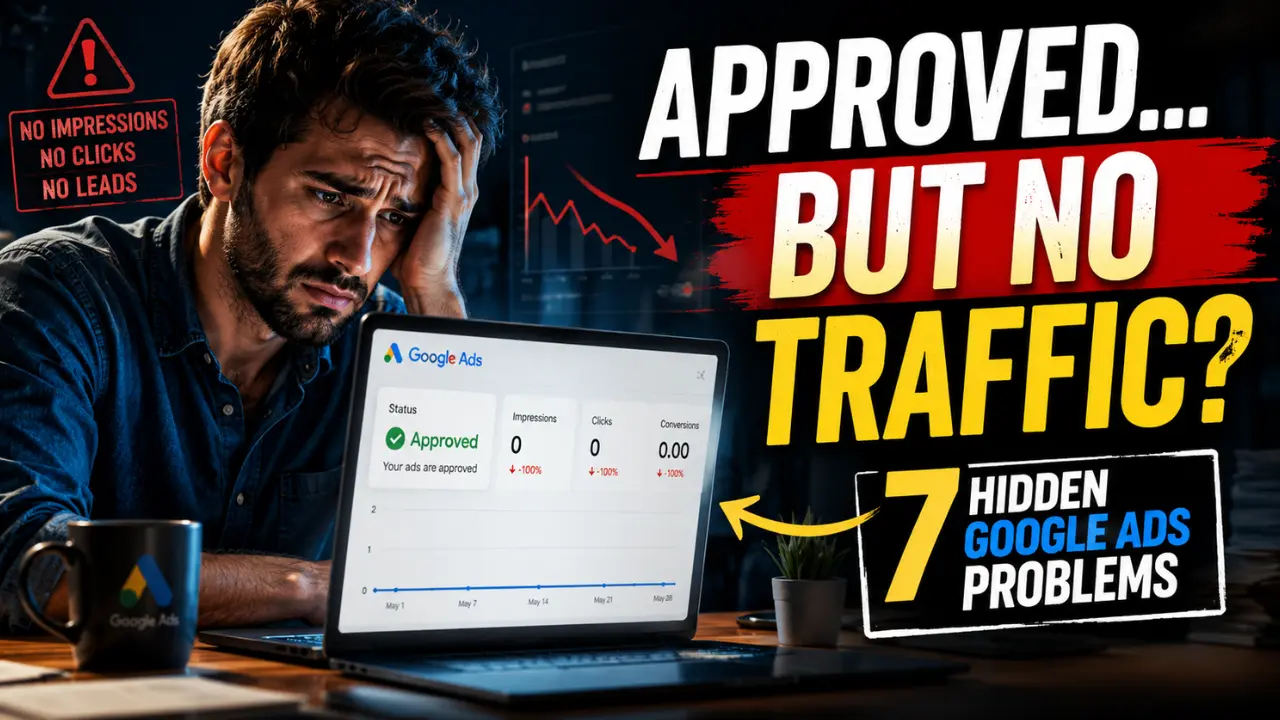

When Google Ads are approved but not running, the problem is usually not the approval itself. Approval only means the ad passed policy review. It does not mean the campaign is ready to receive stable impressions, clicks, calls or leads.
Many advertisers see “approved” and assume the ad should start showing immediately but Google Ads works through auction delivery, not simple publication. A campaign must match real searches, compete strongly enough, use relevant messaging and send users to a landing page that supports the ad promise. If one major layer is weak, the ad can remain approved while impressions stay extremely low.
A better way to diagnose the issue is to look at the account as a delivery chain. Billing must be valid, the campaign must be enabled, the ad group must be active, the keywords must be eligible, the schedule must allow traffic, the targeting must leave enough reach, the bids must compete and conversion tracking should be set up correctly so the system can understand useful actions. If one link in that chain fails, the setup can look healthy at a glance while still not serving properly.
Audit Before Adjusting
| What You See | Likely Issue | Check First |
|---|---|---|
| Zero impressions | Status, billing, dates, keywords, targeting | Account and campaign chain |
| Google Ads approved but no impressions | Low search demand or blocked eligibility | Keyword status and targeting |
| Eligible but not showing often | Bids, rank, narrow reach | Impression share and bid strategy |
| Impressions but no clicks | Weak ad relevance | CTR, search terms, ad copy |
| Clicks but no leads | Landing page, offer or tracking issue | Page quality and conversion tracking |
| Sudden traffic stop | Billing, policy, schedule, major edit | Notifications and change history |
| One campaign gets all traffic | Overlap or poor structure | Campaign and keyword overlap |
The fix should match the symptom. If there are zero impressions, do not start by redesigning the landing page. If there are impressions but no clicks, billing is probably not the first problem. Start where the delivery chain is most likely broken.
1. Review the Full Process
The first fix is not exciting but it is essential. A campaign can contain approved ads and still fail to run if another part of the account is inactive, restricted or misconfigured. This is why advertisers should not treat the ad status as the only health signal inside the account.
A common mistake is checking the ad status in isolation. Google Ads delivery depends on a chain, not a single approval label. If the ad is approved but the keyword is inactive, the ad group is paused, the campaign schedule blocks the current hour or the payment method has failed, the account can look partially healthy while delivery remains impossible.
Failure Points in the Chain
Many advertisers only check whether the ad says approved and ignore the surrounding structure. That creates false confidence. The ad may be allowed to run but the campaign date may not have started, the ad group may be paused, the keyword may be inactive, the payment method may need attention or the reporting date range may be showing the wrong period.
This is why “ads approved but not serving” should always begin with a full status review before deeper optimization. Fixing bids or rewriting headlines will not help if traffic is blocked at a basic setup level.
What to Check First
Check account notifications, billing, campaign status, ad group status, ad status, keyword status, campaign start and end dates, ad schedule, location targeting, policy warnings and the reporting date range. These checks are simple but they often reveal the real reason a setup has zero impressions.
A useful way to think about this step is: every layer must say yes before traffic can happen. If the campaign is enabled but the ad group is paused, serving fails. If the ad is approved but the keyword is not eligible, serving fails. If everything is active but the reporting window is wrong, the advertiser may diagnose a problem that does not actually exist.
Signs of a Proper Fix
If the problem was a setup issue, impressions may begin after the inactive layer is corrected. If the account still receives no impressions after the full chain is active, the issue is probably not basic setup. Move next to keyword demand, bidding and targeting.
2. Replace Weak Search Intent Keywords
Many campaigns are approved but not running because the keywords do not match how customers actually search. This is especially common when business owners use polished internal language instead of practical buyer language.
A business may describe its service as “advanced residential climate optimization,” but customers search “AC repair near me,” “air conditioner not cooling,” or “emergency AC service.” A consultant may prefer “strategic financial advisory,” but small business owners search “small business tax accountant” or “tax help for LLC.”
This difference matters because Google can only show ads when real searches happen. If the keyword list is disconnected from search behaviour, the campaign may stay eligible while entering very few auctions.
The Demand Problem
A keyword can sound professional and still have weak demand. This is why some campaigns spend far below budget even when ads are approved. The setup is not necessarily blocked. It may simply be targeting phrases that very few people search in that location.
Search intent also matters. “How to fix AC noise” may attract research behaviour, while “AC repair near me” usually signals stronger commercial action. Both are related to the same topic but they behave differently in Google Ads.
Weak vs Strong Keyword Direction
| Weak Keyword Style | Stronger Buyer Search |
|---|---|
| premium dental wellness solutions | dentist near me |
| residential comfort optimization | AC repair near me |
| strategic financial guidance | small business tax accountant |
| exterior property improvement | roof repair company |
| vehicle protection service | car insurance quote |
The stronger keyword is not always more elegant. It is usually closer to the customer’s real problem, location or buying moment.
What to Fix
Review keyword status, impressions, match types and search terms. If your search terms report is empty or many keywords receive no impressions, replace vague phrases with service + location, problem + service, emergency + service, cost + service and near-me style searches where relevant.
After replacing weak keywords, do not judge the campaign only by impressions. Watch whether the search terms are commercially useful. More traffic is not always better if the new terms attract people who are researching rather than ready to act.
3. Fix Weak Auctions First
Many advertisers assume low impressions mean they need a bigger daily budget. That is not always true. Budget and competitiveness are different problems.
Budget controls how much the account is allowed to spend. Competitiveness determines whether the ads can win enough auctions to spend that budget. If a campaign barely spends its current budget, increasing the budget may not solve anything because the setup is already failing to use the money available.
Budget Pressure vs Auction Weakness
| Budget Problem | Competitiveness Problem |
|---|---|
| Campaign spends too quickly | Campaign struggles to spend |
| Traffic exists but stops early | Traffic barely starts |
| More budget may extend delivery | More budget alone may not help |
| The issue is capacity | The issue is auction strength |
This difference is important for small businesses. If the campaign is spending its full budget daily, budget may be limiting reach. If the campaign has unused budget and still receives few impressions, the issue is more likely bids, rank, relevance, targeting or search demand.
Weak Bids Hurt Performance
Weak bids do more than reduce visibility. They reduce the ability to gather useful data. With fewer impressions and clicks, Google has less evidence about which searches, locations, devices and users are valuable. That makes optimization slower and less reliable.
This happens often in competitive industries such as legal services, roofing, HVAC, insurance, finance, medical services and B2B lead generation. In these markets, conservative bids can keep ads technically active but practically invisible.
Key Things to Check
Review impression share, lost impression share due to rank, top-of-page rate, average CPC, bid strategy status and whether the campaign is spending close to its daily budget. If you are using Target CPA or Target ROAS on a new campaign with little conversion data, the target may be too strict for stable delivery.
Unused budget usually means the setup lacks enough auction opportunity or competitiveness. It does not automatically mean the account needs a higher daily limit.
4. Expand Targeting Carefully
Some Google Ads are eligible but not showing because targeting has become too restrictive. Advertisers often add restrictions to avoid waste, but too many restrictions can leave the campaign with almost no eligible searches.
This is common in local campaigns. A business may target one small ZIP code, use exact match only, run ads only during narrow hours, exclude devices, add audience restrictions and apply broad negative keywords. Each setting may seem reasonable alone but together they can starve traffic.
Over-Control Problem
New advertisers often try to create precision before the campaign has enough data. The problem is that early campaigns need enough reach to discover what works. If targeting is too tight from the beginning, the account may never collect enough evidence to identify good searches, bad searches, profitable devices or strong locations.
A roofing company targeting a five-mile radius with exact-match-only keywords and ads scheduled only during office hours may qualify for too few commercial searches to stabilize delivery. The setup looks controlled but it has very little room to learn.
What to Review
Check location radius, location options, ad schedule, device exclusions, audience settings, demographic exclusions, keyword match types, negative keyword lists and language settings. Negative keywords need special attention because one broad exclusion can block valuable searches unintentionally.
For example, a repair business might exclude “cheap” because it wants serious customers. But many people searching “cheap washing machine repair near me” may still be real buyers, not bad leads.
What Should Be Corrected
Loosen one layer at a time. Expand location slightly, test phrase match alongside exact match, open more hours temporarily or move audiences from strict targeting to observation if appropriate. Then watch search terms and lead quality before making the next change.
5. Strengthen the Ad-to-Page Experience
Approved ads can still struggle if the ad message does not match the searcher’s intent. Many ads use safe but vague language such as “trusted professionals,” “quality service,” or “affordable solutions.” These phrases may sound acceptable but they often fail to answer what the searcher actually needs.
A person searching “emergency locksmith near me” wants urgency, location, availability and reassurance. A headline like “24/7 Emergency Locksmith in Dallas” is more useful than a broad branding message because it continues the intent of the search.
Disconnected Ads Hurt Trust
The problem becomes worse when the landing page does not continue the ad promise. If the ad promotes emergency AC repair but sends users to a generic homepage, the visitor has to search again inside the site. That friction weakens trust and can reduce conversions even if the ad receives clicks.
Strong Google Ads campaigns usually create a clear path: the keyword reflects the search, the ad responds directly to that search and the landing page confirms the same service with clear contact options, service area, proof and next steps.
Weak vs Strong Ad Direction
| Search Intent | Weak Ad Message | Stronger Ad Message |
|---|---|---|
| emergency electrician | Quality Electrical Services | 24/7 Emergency Electrician Near You |
| roof leak repair | Trusted Roofing Experts | Roof Leak Repair and Same-Day Inspection |
| small business tax help | Professional Accounting Solutions | Small Business Tax Accountant |
| AC not cooling | Affordable HVAC Service | AC Not Cooling? Book Local Repair |
The stronger ad does not try to be clever. It reduces uncertainty quickly.
Important Fixes to Make
Separate different search intents into tighter ad groups. Emergency repair, installation, maintenance and commercial service should not all depend on one vague ad. Then make sure each landing page or landing page section supports the same intent clearly.
Also confirm that conversion tracking is not hiding the real picture. If calls, forms, purchases or bookings are not tracked correctly, the campaign may appear weaker than it really is and automated bidding may optimize from incomplete information.
6. Simplify Overlapping Campaigns
Some campaigns fail to run properly because the account structure is too fragmented. This happens when multiple campaigns or ad groups target the same services, locations and keywords without a clear purpose.
The issue is not simply “competing with yourself.” The deeper issue is scattered learning. A small budget divided across several overlapping campaigns may prevent any one campaign from gathering enough impressions, clicks and conversions to stabilize.
Why Small Budgets Suffer More
Large accounts can sometimes survive messy structures because they generate enough volume. Small businesses usually cannot. If a local advertiser has three campaigns chasing the same AC repair searches in the same city, Google may distribute traffic unevenly, one campaign may dominate and the others may appear approved but silent.
For example, a small HVAC company running Search, Smart and Performance Max campaigns for the same city may believe it is increasing coverage. In practice, it may be splitting search behaviour, budget and learning signals across too many systems. The account looks active but the traffic flow becomes harder to understand and harder to stabilize.
Cleaner Account Structure
A local HVAC business may separate emergency AC repair, AC installation, and maintenance plans. A law firm may separate personal injury, family law, and business law. A dental clinic may separate emergency dental care, implants and routine appointments.
The structure should make campaign purpose clear. Each campaign or ad group should have a reason to exist.
What to Check
Review keyword overlap, location overlap, campaign goals, budget split, search terms by campaign, Smart campaign overlap, Performance Max overlap and whether multiple campaigns are chasing the same customer intent. If the account is too fragmented, consolidation may improve traffic clarity.
7. Let Campaign Learning Stabilize
Many advertisers damage delivery by changing campaigns too frequently. They increase bids one day, rewrite ads the next day, pause keywords after a few clicks, switch bid strategies and then change targeting again. After several rounds of edits, the account becomes difficult to read.
Google Ads needs stable conditions long enough to collect meaningful evidence. This does not mean ignoring problems. It means making changes based on symptoms and data rather than panic.
What Counts as a Major Change
Major changes include switching bid strategies, changing conversion actions, making large keyword expansions, changing location targeting heavily, replacing landing pages, restructuring campaigns or pausing large groups of keywords. These edits can change the campaign environment enough that performance needs time to settle again.
Small accounts are especially sensitive because they collect data slowly. A campaign with limited daily traffic may need more time before performance patterns become meaningful.
A Better Optimization Rhythm
Use change history as a control system. Make one major change at a time, note the date and allow enough impressions or clicks before judging the result. Review search terms before adding aggressive negative keywords. Avoid switching bid strategies repeatedly within a short period.
If the campaign has zero impressions, act quickly by checking status, keywords, bids and targeting. If the campaign has impressions and clicks but limited data, avoid over-editing too soon. If clicks exist but leads do not, focus on search intent, landing page quality and tracking.
A Realistic Small-Budget Example
A local service business spending a small daily budget may receive only a limited number of clicks each week. If the owner changes bid strategy, rewrites ads, adds negatives and changes locations within the same few days, the account never produces a clean test. A better approach is to fix the most likely restriction first, let the campaign gather enough activity to show a pattern and then make the next decision from actual evidence.
Which Fix Should You Start With First?
| Problem Pattern | Best First Fix |
|---|---|
| Google Ads approved but no impressions | Check status, billing, keywords, targeting |
| Google Ads eligible but not showing often | Review bids, impression share, search demand |
| Low impressions with unused budget | Fix auction competitiveness |
| Impressions but no clicks | Improve ad relevance |
| Clicks but no leads | Fix landing page and tracking |
| Delivery unstable | Reduce constant edits and overlap |
| One campaign dominates the account | Clean structure and keyword overlap |
The fastest fix is usually the one closest to the real restriction. Match the repair to the symptom instead of changing the entire account at once.
How the Fixes Work Together
Each fix removes one form of friction from the delivery system. Better keywords connect the campaign to real demand. Competitive bids help the ads enter auctions. Controlled targeting gives the account enough room to collect evidence. Relevant ads improve click behaviour. Strong landing pages improve post-click confidence. Clean structure concentrates learning. Stable optimization allows patterns to form.
When these layers work together, the account creates a stronger delivery loop. More eligible searches create more impressions. More impressions create more click data. Better click data helps optimization. Stronger optimization improves future auction participation. Better landing pages turn traffic into leads. Those results give the setup clearer performance signals.
That is how Google Ads campaigns move from approved but not running to actively generating impressions, clicks, calls and customer opportunities.
Frequently Asked Questions
Why are my Google Ads approved but not getting impressions?
Approved ads can still receive no impressions if the campaign has weak keyword demand, low bids, narrow targeting, inactive settings, poor relevance or delivery restrictions elsewhere in the account.
Can low bids stop Google Ads from running?
Yes. Ads may remain approved but struggle to enter auctions if bids are too weak compared to competitors targeting similar searches.
Can targeting settings prevent Google Ads from showing?
Yes. Very narrow locations, exact match only keywords, restricted schedules, audience limits or aggressive negative keywords can reduce eligible traffic heavily.
Does landing page quality affect Google Ads delivery?
Yes. Weak landing pages can reduce user trust, conversions and overall campaign performance, especially when the page does not match the ad promise.

1 thought on “Google Ads Eligible but Not Showing?”